From manual builds to self-service: Redesigning a Slider Builder for QR campaigns
Role
Product Designer (end-to-end)
Team
5 engineers, 2 product designers
Client
Integritag GmbH
Scope
Design System
Documentation
Product Strategy
Handoff
User Research
UX Design
UI Design
Prototyping
User Testing
Timeline
Dec 2023 – May 2024
Link
Challenge
ScanVoyage’s QR-linked landing pages were produced manually by an internal graphic designer. This manual creation could not accommodate more than two clients simultaneously without causing delays.
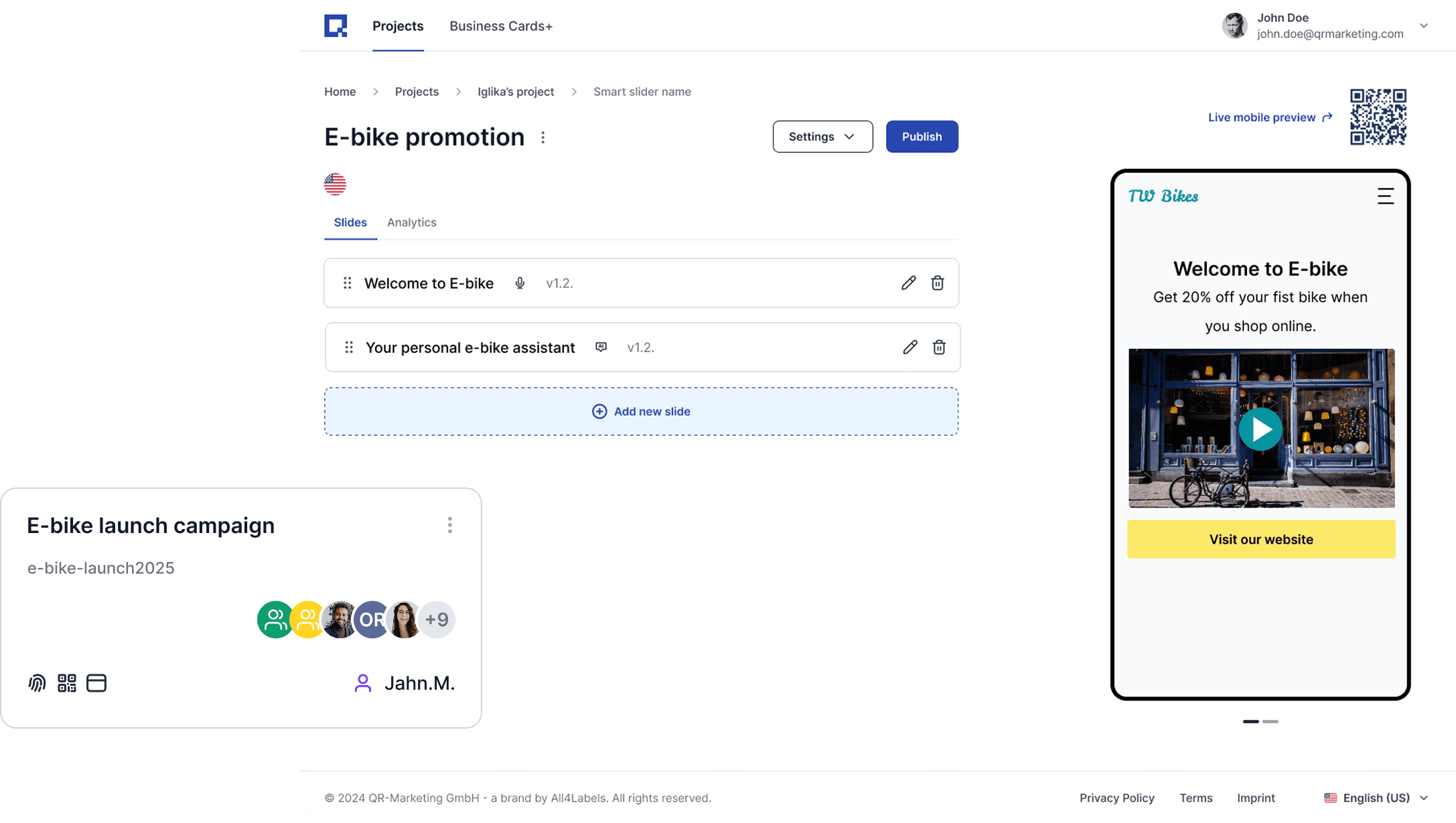
The goal was to redesign Smart Sliders into a self-serve, multipage builder, so customers could create responsive experiences and link them to QR codes independently.
Outcome
I led the end-to-end redesign of the Smart Slider feature into a self-serve builder, enabling customers to create mobile-optimized, multi-page slider experiences and link them to QR codes without relying on internal design support.
Impact
The redesign created a scalable foundation for self-serve QR campaign pages: clearer IA and flows reduced friction for first-time setup, documentation improved cross-team alignment during build and handoff, and the new design system standards reduced UI inconsistency and made future feature work faster to ship.
What are Smart Sliders?
QR codes can be printed on product packaging, labels, posters, and other physical media. When scanned, these codes lead consumers to digital content, such as videos or websites.
The sales team, however, wanted to offer not just single websites but multi-page websites. A user would be able to scroll though multi pages just like on a carousel.
Why ‘smart’? Because it uses intelligence rules (AI ) + data to deliver content.
For instance:
→ Pulls in live product/QR data (e.g., scan counts, redirects, locales) to personalize copy or show/hide slides dynamically.
→ Supports conditional content (language, market, campaign)
Process
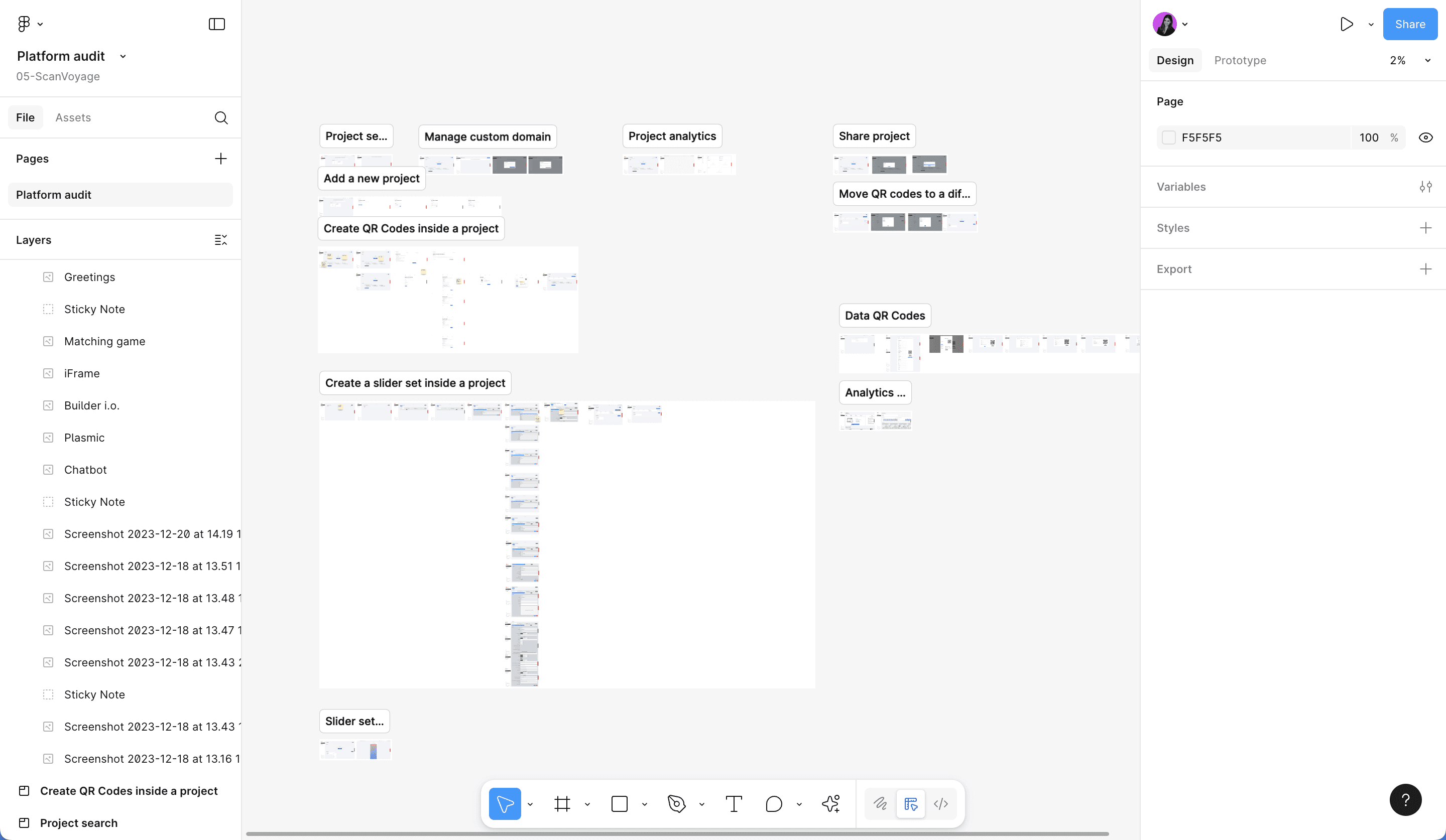
I started with an UX Audit of the entire platform
My goal was to identify gaps between the live platform and the intended design. This process involved documenting each user flow and UI element, comparing them to the original design files in Figma. Moreover, I conducted a heuristic evaluation cataloged issues such as confusing flows and inconsistent UI elements.
As I result, I concluded that we needed to completely redesign the main components and needed a new design system to battle the UI inconsistencies.
A Design System was due
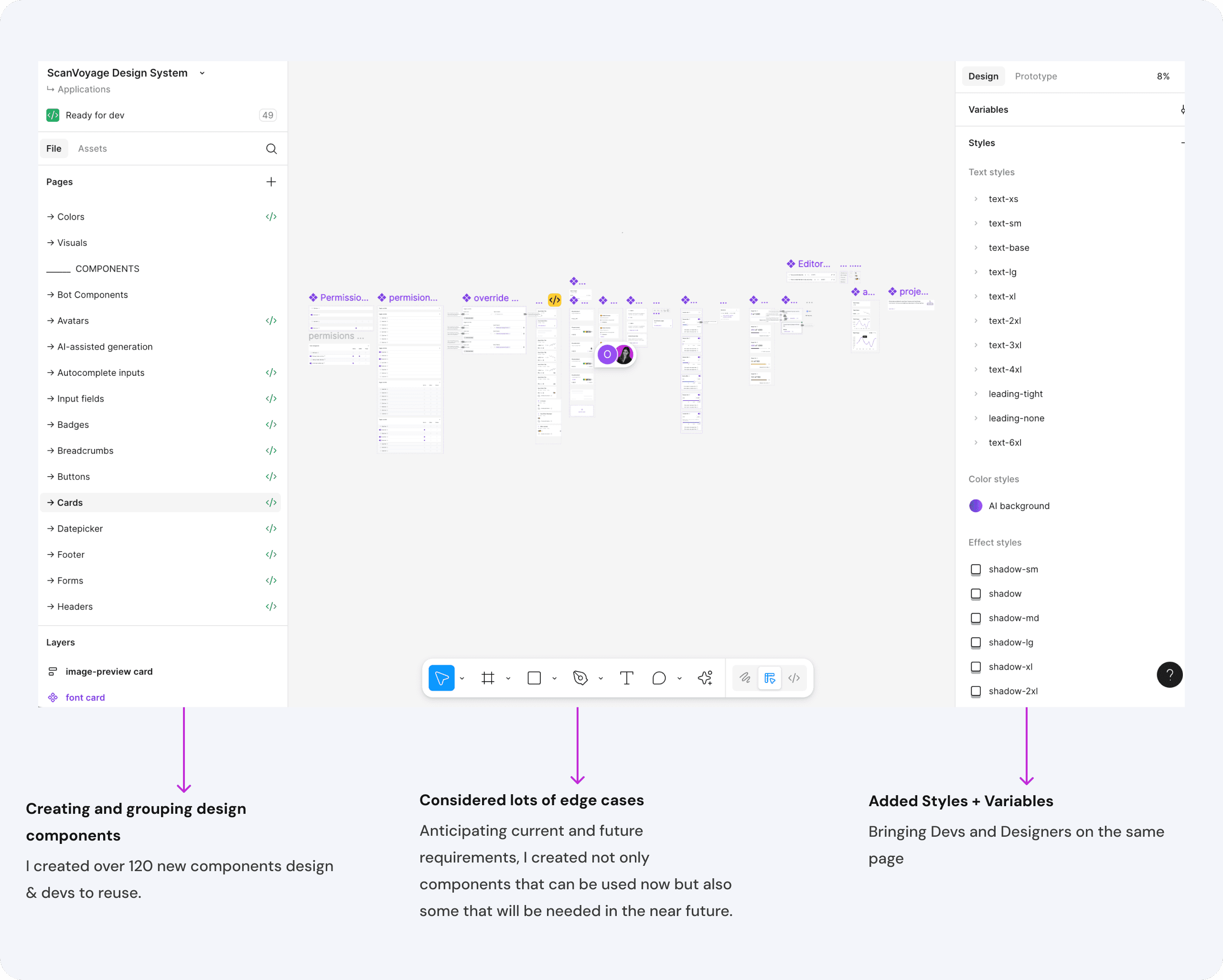
To ensure consistency across the platform, as well as offer scaling opportunities, I created a new comprehensive design system that standardized components. As a basis, I used the already existing Flowbite Library which the developers were using, and added more components to it.
Defining Scope and Priorities Without a Project Manager
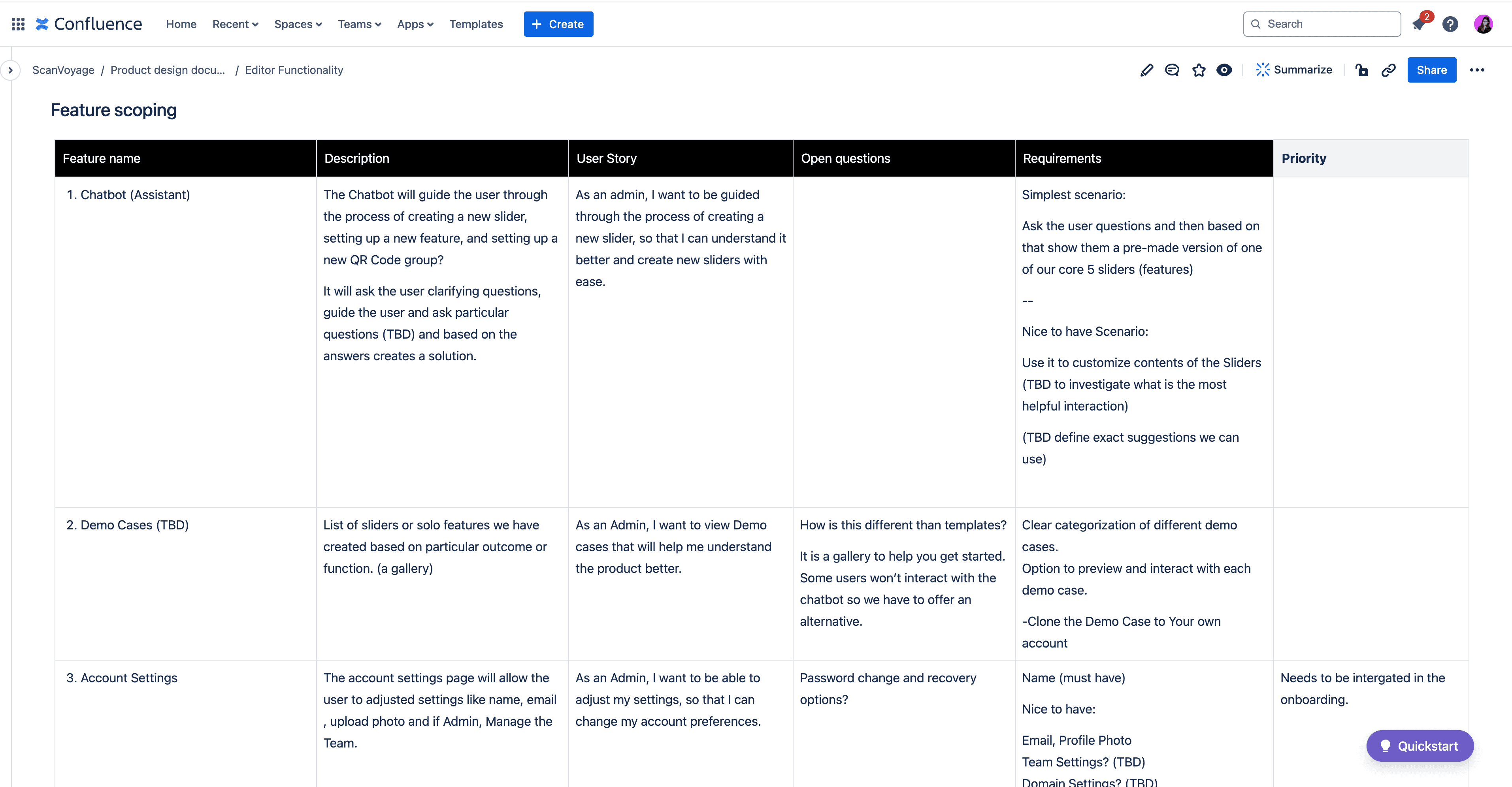
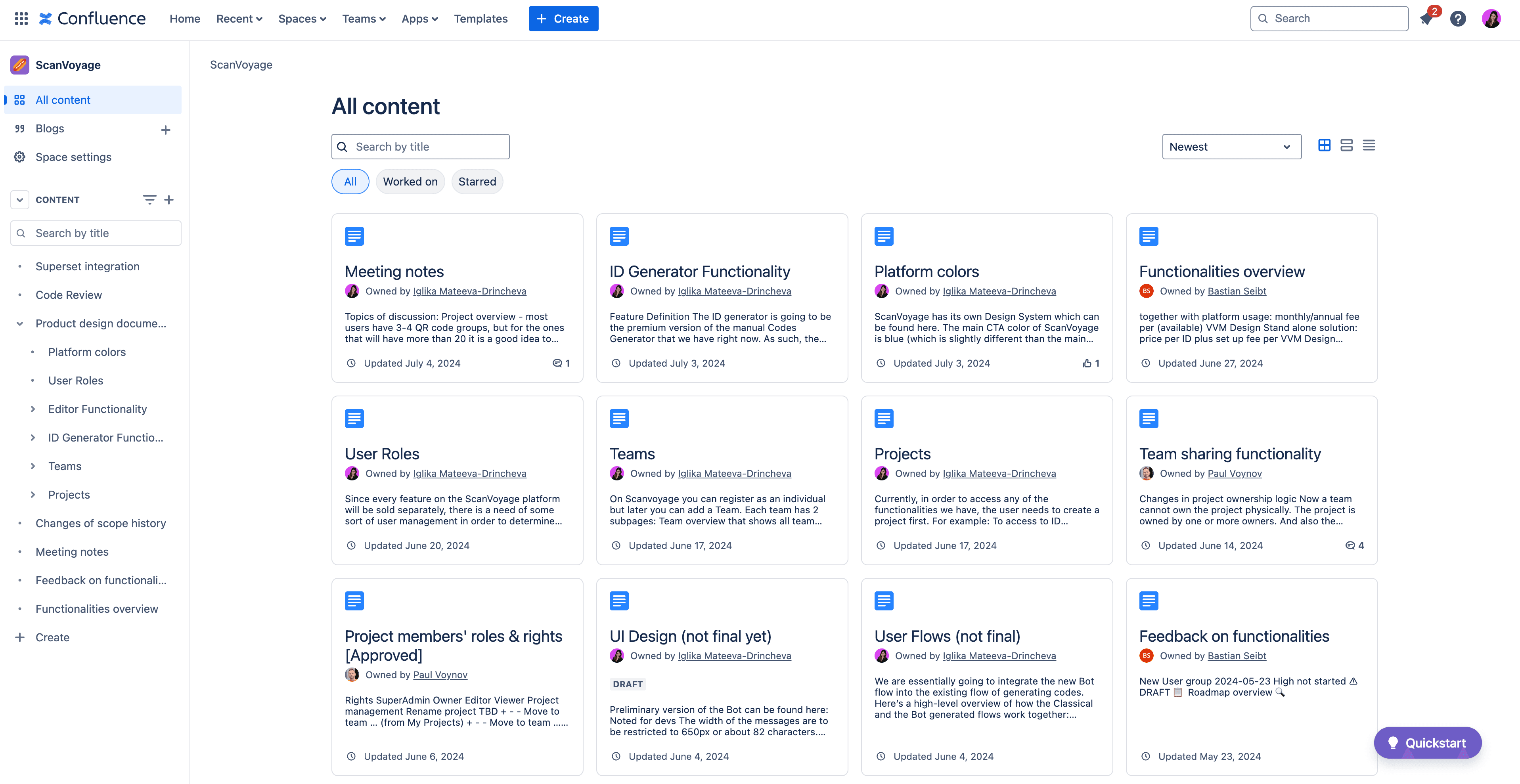
In the absence of a product manager, I compiled a comprehensive feature scope in Confluence. This document outlined all requirements, served as a reference for developers, and helped prioritize features for immediate development. After a final discussion with the CTO, I was ready to start working on solving the main issues.
Key Decisions
Redefining the content model
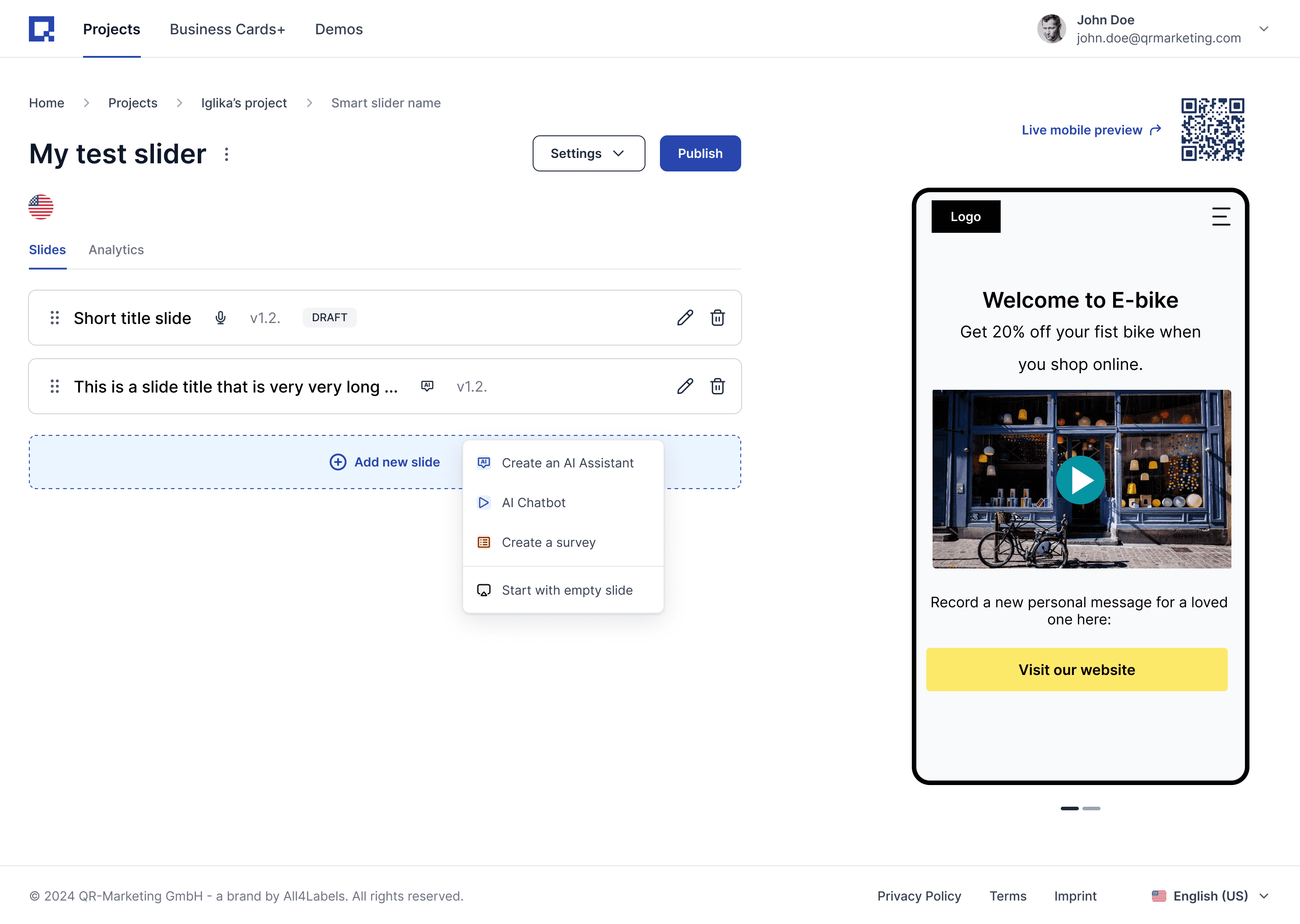
I introduced Smart Features (formerly Slide types) as independent, reusable elements.
Benefits:
Reusable content (e.g., one Video Messenger with localized variants)
Clear separation of creation vs. editing
Simpler mental model and cleaner IA
Before : Slide types lived inside a Slider.
Creation and editing were merged in one UI. Engineering added a workaround (unique codes) to attach an existing Slide to a new Slider, but this didn’t support a common need: reusing and versioning content across multiple Sliders.
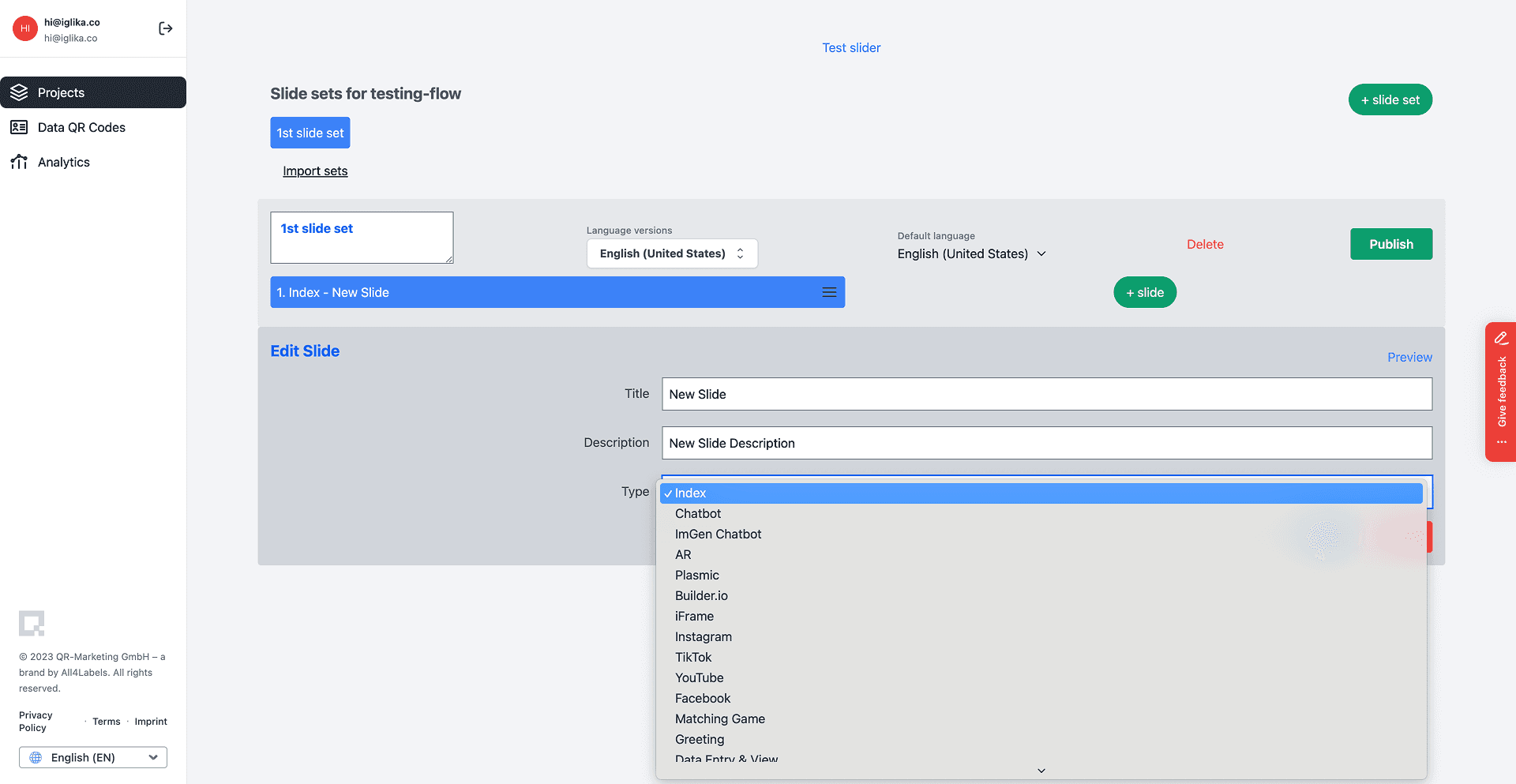
After: Decision to decouple Slides from Sliders.
I introduced Smart Features (formerly Slide types) as independent, reusable elements. Each Smart Feature can be created, versioned (e.g., by language), and linked to any Slider. A Slider can contain one or many features.
UI Design
Designing the Creation wizard & edit mode
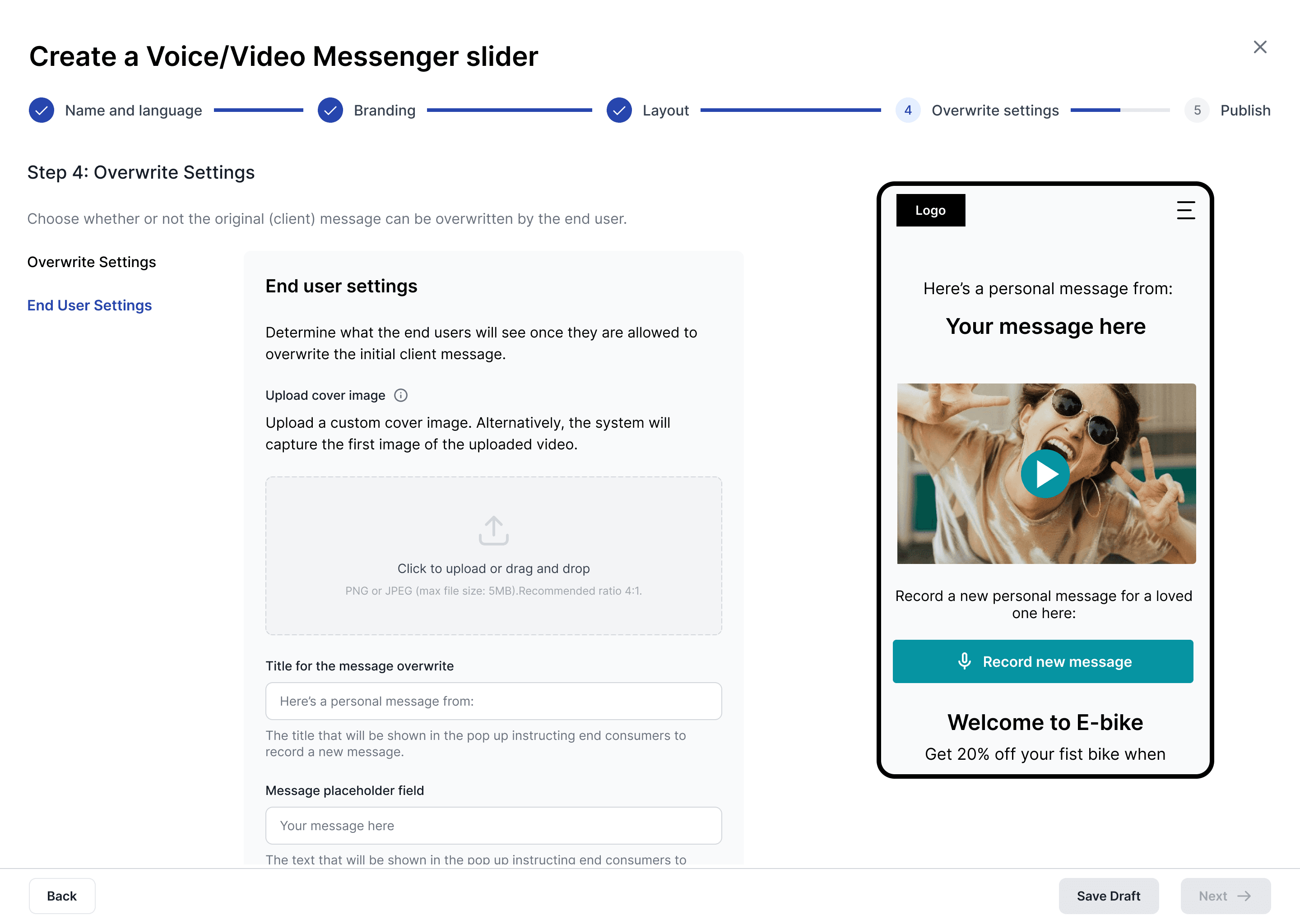
I translated the new content model and the new IA into concrete patterns that make first‑time creation and ongoing reuse straightforward:
Creation wizard for Sliders with clear progress and live preview.
Separate Create vs Edit modes with distinct entry points and headers, reducing mode confusion.
Added localization logic with statuses, inheritance rules, and quick switching.
Linking QR codes flow that lets users connect a Slider to QR code groups from the publish step or from the QR code library.
Usability Testing
Securing Buy-In for User Testing
User testing wasn’t originally planned, but I made the case to validate the core workflow before moving forward.
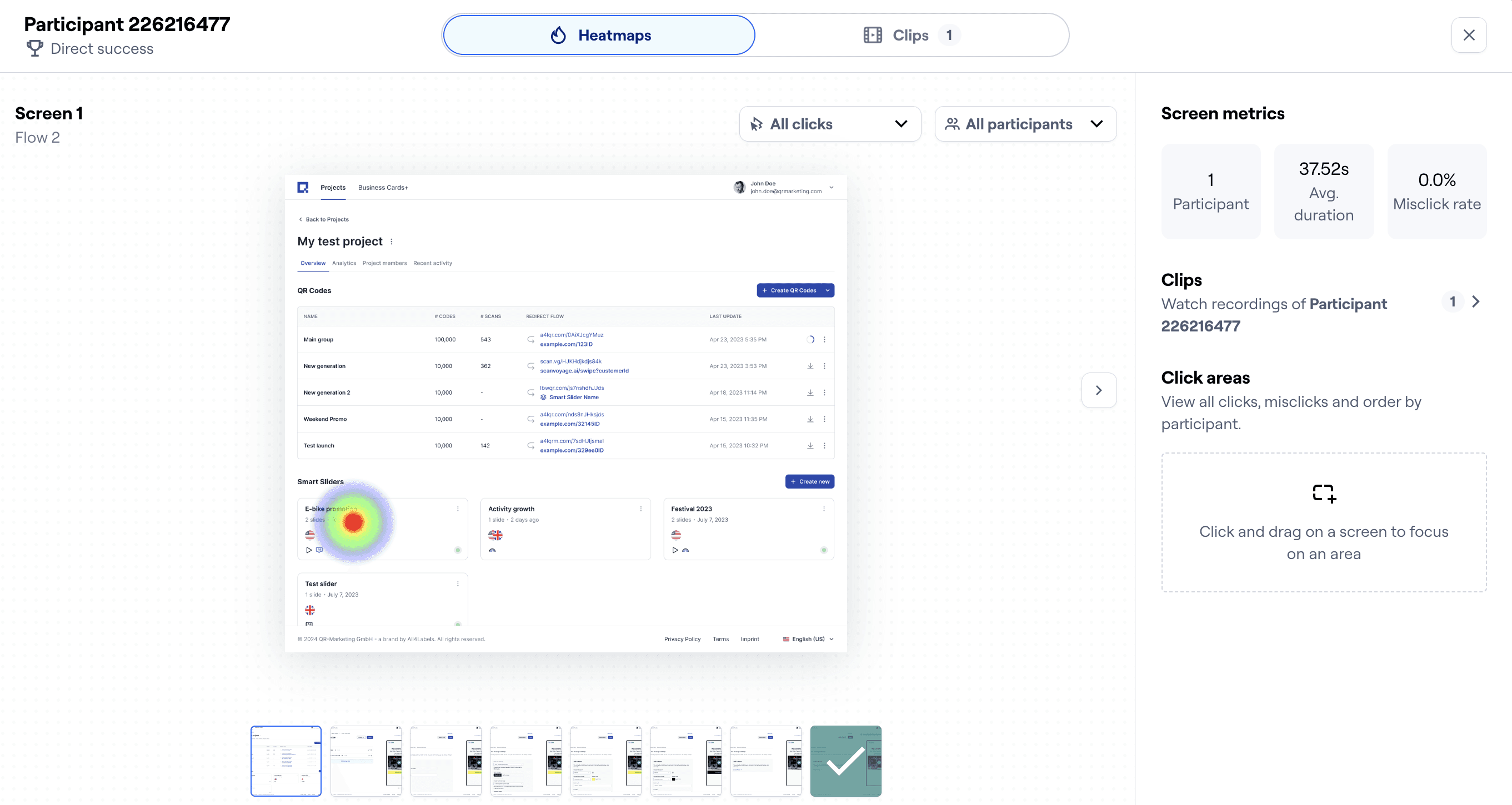
To validate the new creation-and-reuse model, I ran moderated remote tests with five members of the organization, all coming from different backgrounds-sales, key account etc.
What I tested:
Create a new Smart Slider (type Messenger)
Edit: add a new language, link to a QR code group, change CTA color
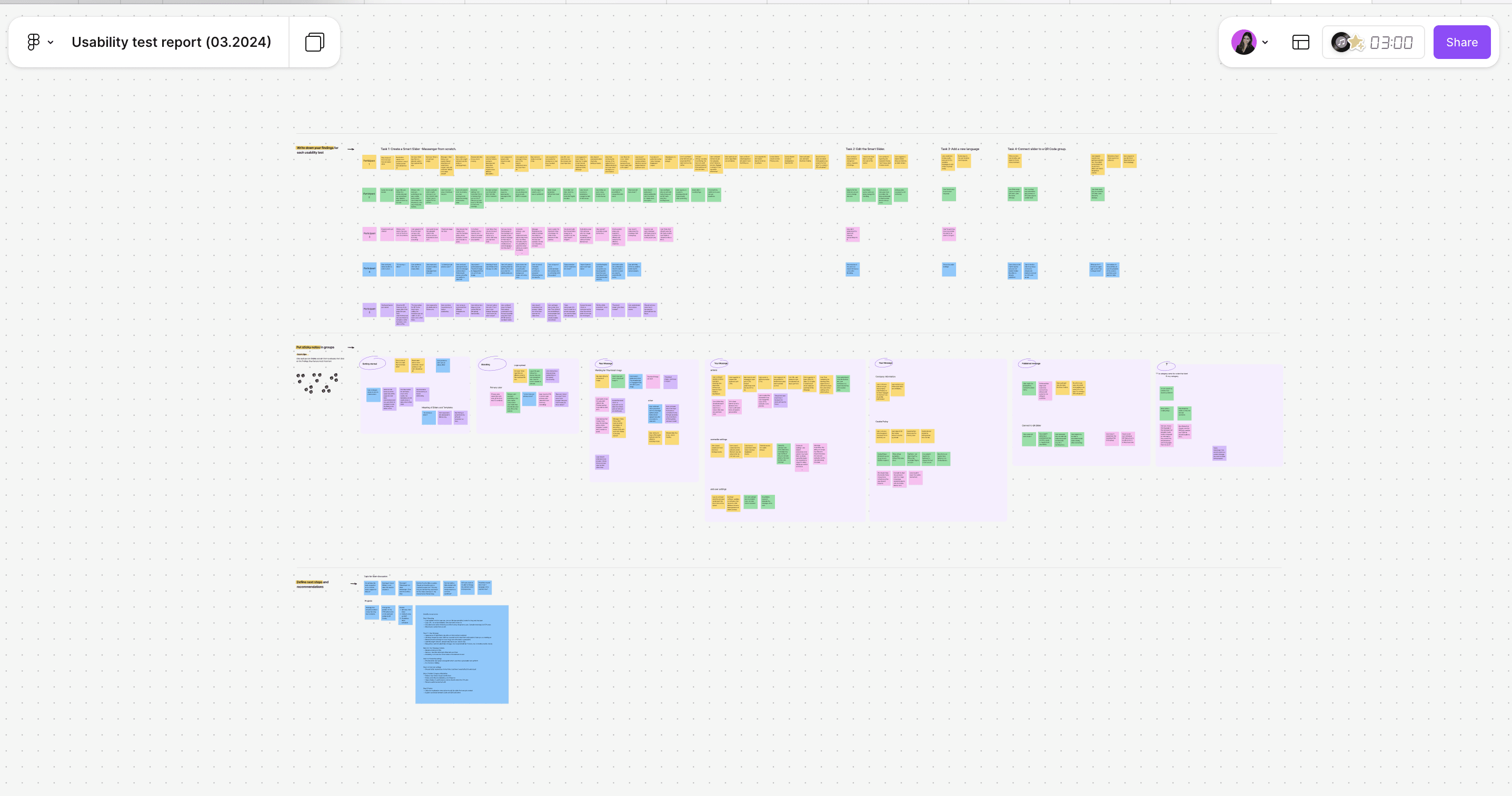
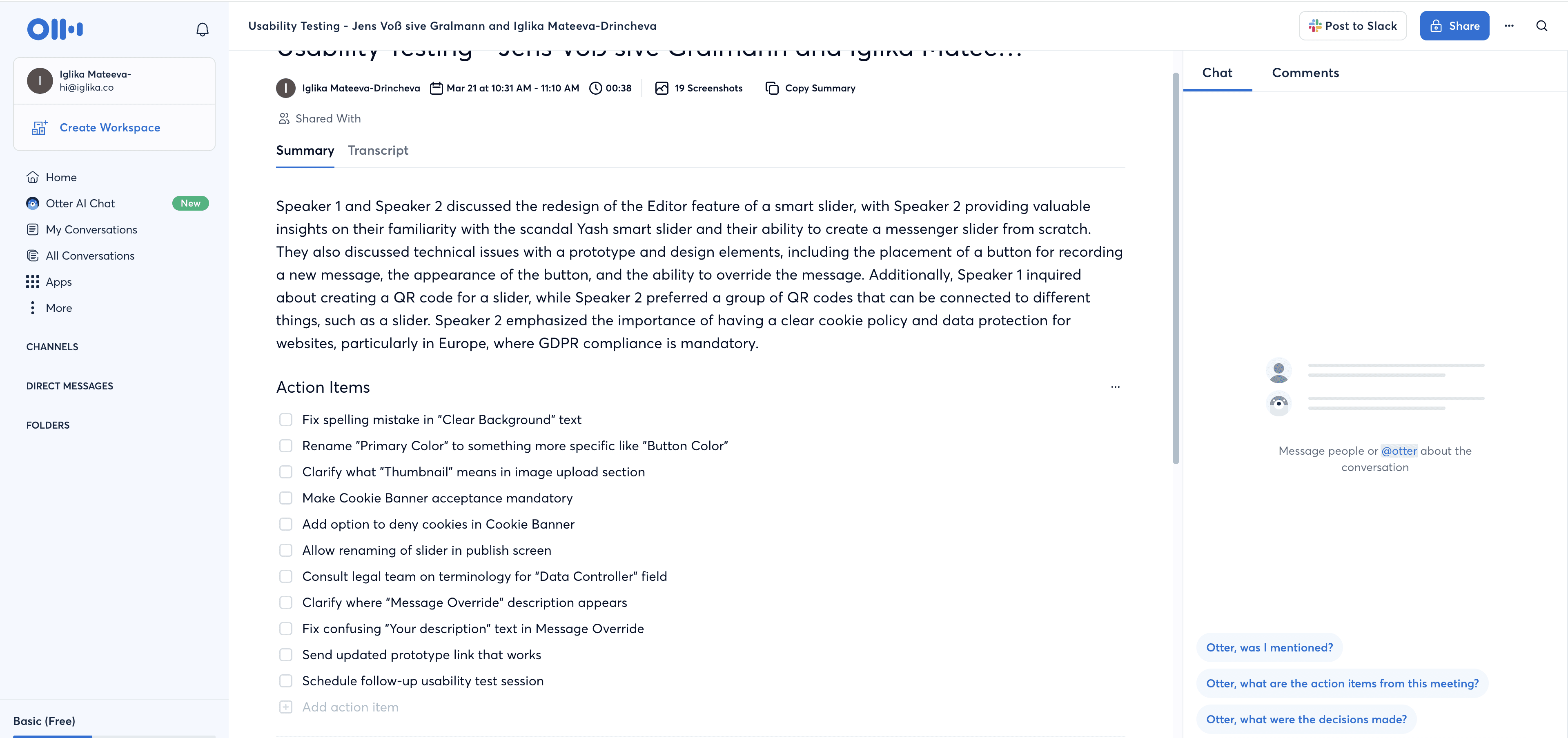
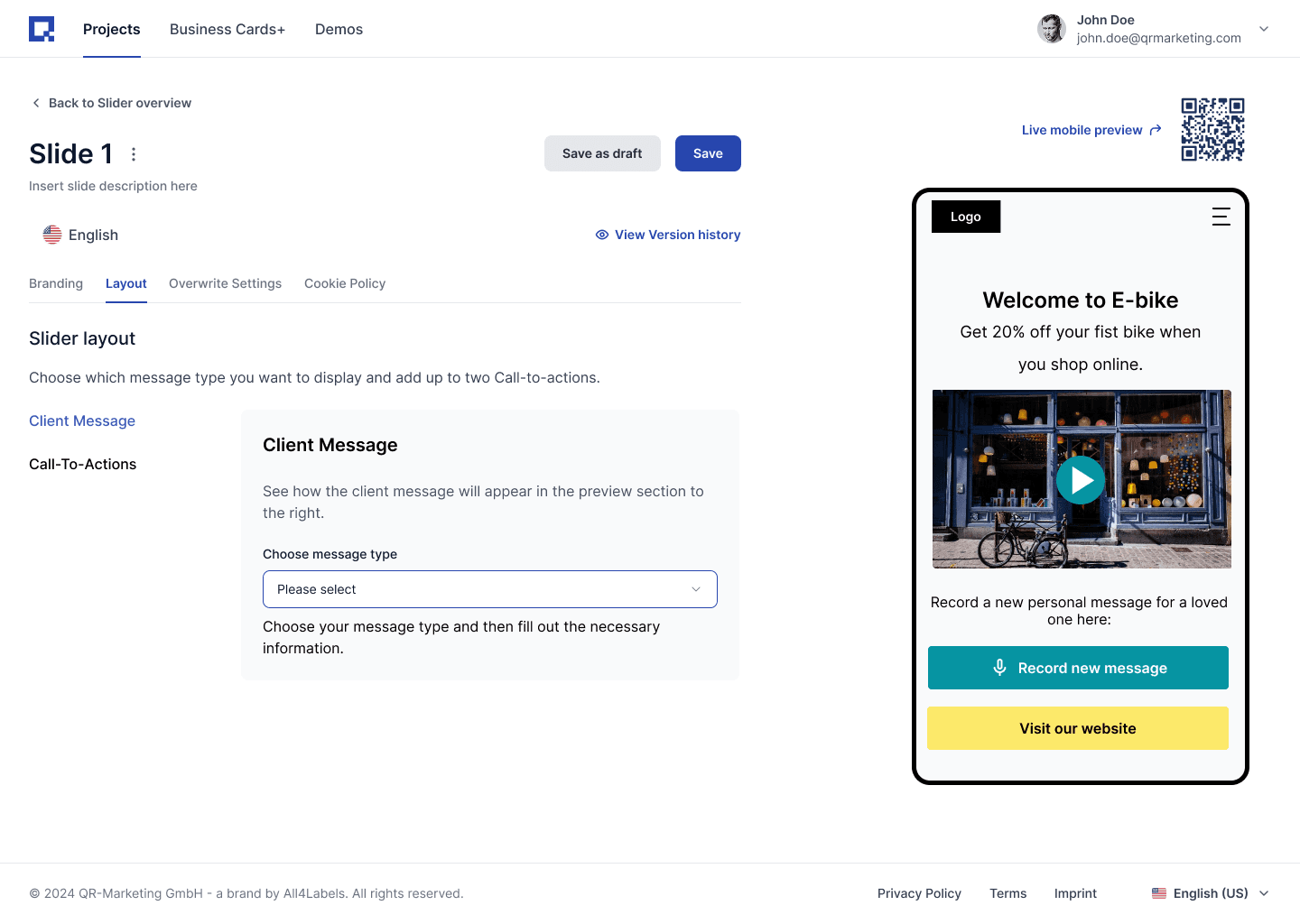
Key outcome from the user testing sessions
The sessions validated the new model—participants completed the core tasks with light guidance—so I shipped targeted tweaks (entry points, variants visibility, CTA styling) and was ready to hand off to the development team.
Key findings from the case study
The sessions validated the new model—participants completed the core tasks with light guidance—so I shipped targeted tweaks (entry points, variants visibility, CTA styling) and was ready to hand off to the development team.
QR‑first mental model
Many expected to create a QR code before a Slider
Localization was adopted well
Language variants were understood and easy to add
Linking to QR Codes flow mostly clear
Connecting to existing QR groups worked
Styling controls were hard to find
It took a long time to find the CTA color controls
Outcome
Smart Sliders redesigned and ready to ship
I led the product strategy and redesign for Smart Sliders into a self-serve builder, enabling customers to create mobile-optimized, multi-page slider experiences and link them to QR codes without relying on internal design support.
Release was paused by leadership to focus engineering on more urgent platform priorities, while the feature remained positioned for future launch.
Project Impact
Aligned the team with documentation
The audit + Confluence design documentation became the team’s reference, reducing ambiguity and setting standards for future work.
Established design system foundations
Introduced reusable patterns and a consistent component set to speed handoff and reduce UI inconsistencies.
Simplified the model from creation to publish
The Smart Feature model improved flexibility (reuse, variants) and simplified onboarding to first publish. This laid the foundation of the later version of the AI-powered Smart Slider.
"Iglika's organizational abilities and proactive approach to communication were very helpful in keeping our design and development work moving forward smoothly. Her dedication and capable approach over our time working together had a clear positive impact. We appreciate her work on our platform and would certainly recommend Iglika for her design skills and her strong ability to contribute effectively as part of a team."
Vladimir Viro
CTO, Scanvoyage AI